Version 5.31 is introducing following new functionality and interface improvements.
IMPACT OVERVIEW IN PRICE MANAGEMENT
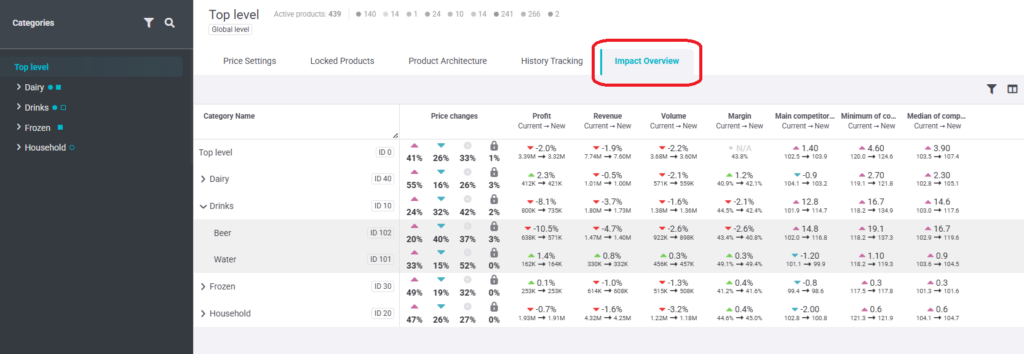
A new Impact Overview tab has been added in Price Management, making it easier to review how Current vs New prices differ in one place.
In this tab, the user can:
- See Profit, Revenue, and Volume shown as % difference between Current and New
values. - View the Current → New values for Profit, Revenue, Volume, Margin, and Indexes.
- Drill down by category (including subcategories) and see category totals at the top.
If data changes, a Recalculate button is shown to refresh the results directly in this tab.
CONSISTENT WINDOW CLOSING AND REPRICING PRIORITY BUTTON UPDATE
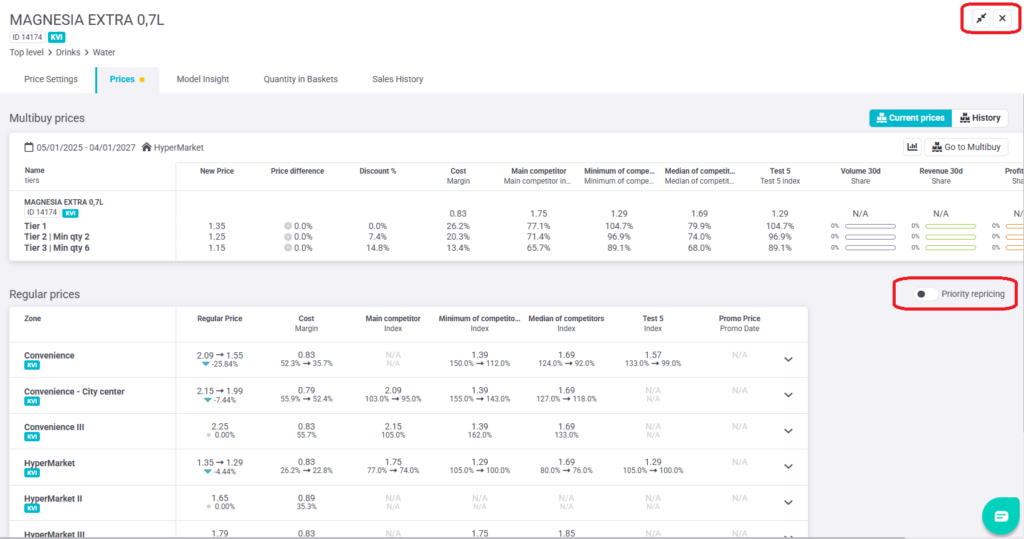
To make navigation more consistent across the app, all windows and pop-ups now close using an “X” in the top-right corner (instead of the “←” back arrow).
The Repricing Priority button appears next to the Article/Family switcher (or on the top-right when the switcher is not available)
Due to this change, the Repricing Priority button has changed its location.
PROMO WINDOW SETTING SIMPLIFIED
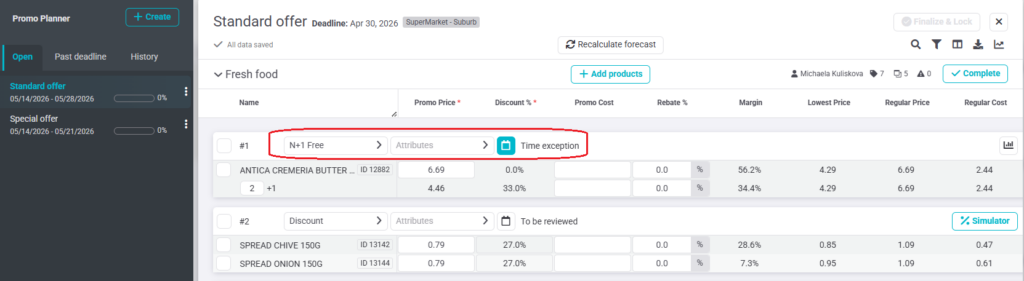
Window settings have been simplified to reduce clicks. The separate Window Settings panel no longer exists; all window-related settings are now available directly in the window header.
In the window header, the user can now:
- Select the Promo mechanic (default: Discount).
- Choose Attributes (only shown if available).
- Set a Date exception (highlighted when active; click to open the date picker).
- Edit the Promo name directly.
PROMO TYPE IN A PROMO PLAN
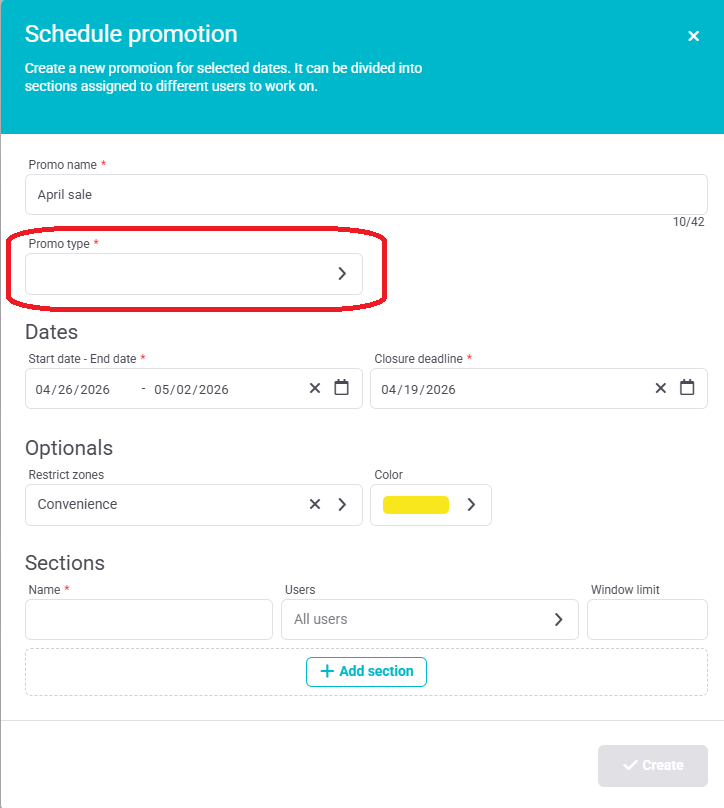
A new mandatory field Promo type has been added to the Promo Planner form.
- Single-select list
- Applies to the entire promo plan (cannot be set per item)
% FORMAT IN DOWNLOAD FILES
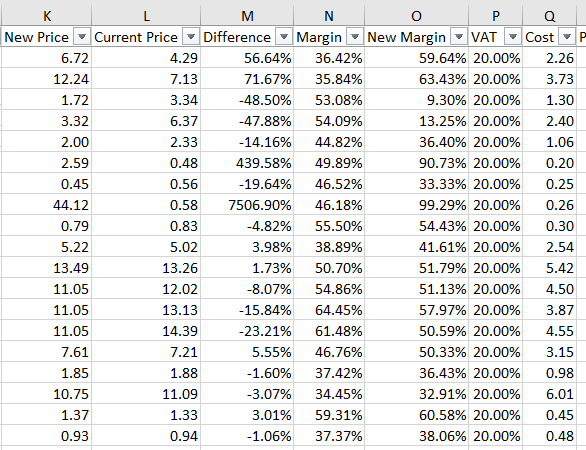
Downloaded documents from the software nowly use predefined Excel formats:
- % columns are displayed as Percentage.
- Number columns use the Number format.
FIXES & UPGRADES
UX: To better explain what the validity threshold in reference prices means, we added a tooltip.
Fix: Regular volume “last 30 days” and the Sales History charts are now taken from the same
data source and show the same data.
Usability: Promo plans will be moved to the “Historical” tab after the end of the promotional
period, allowing changes even while a promotion is running.