Version 5.33 is introducing following new functionality and interface improvements.
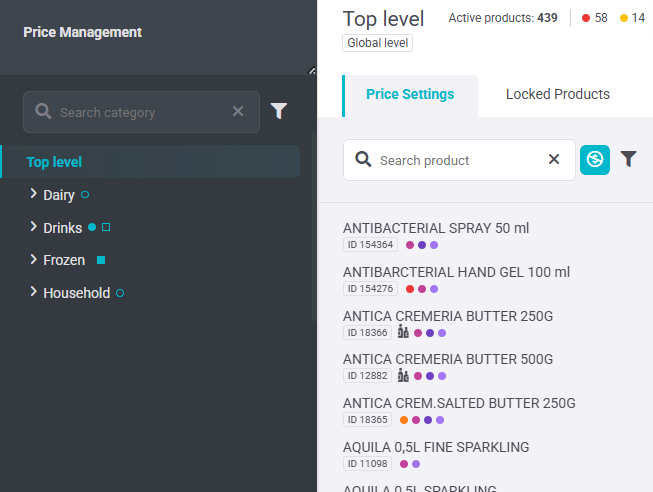
UPDATED SECONDARY NAVIGATION
The secondary navigation has been redesigned to better group related actions as the application grows.
With the new design:
- Search is permanently open for faster access.
- Where applicable, filters are placed next to the search.
- In Promo Planner, the Create button has been moved under the Open tab (below the tab navigation).
PRODUCT ARCHITECTURE IN PRODUCT DETAIL
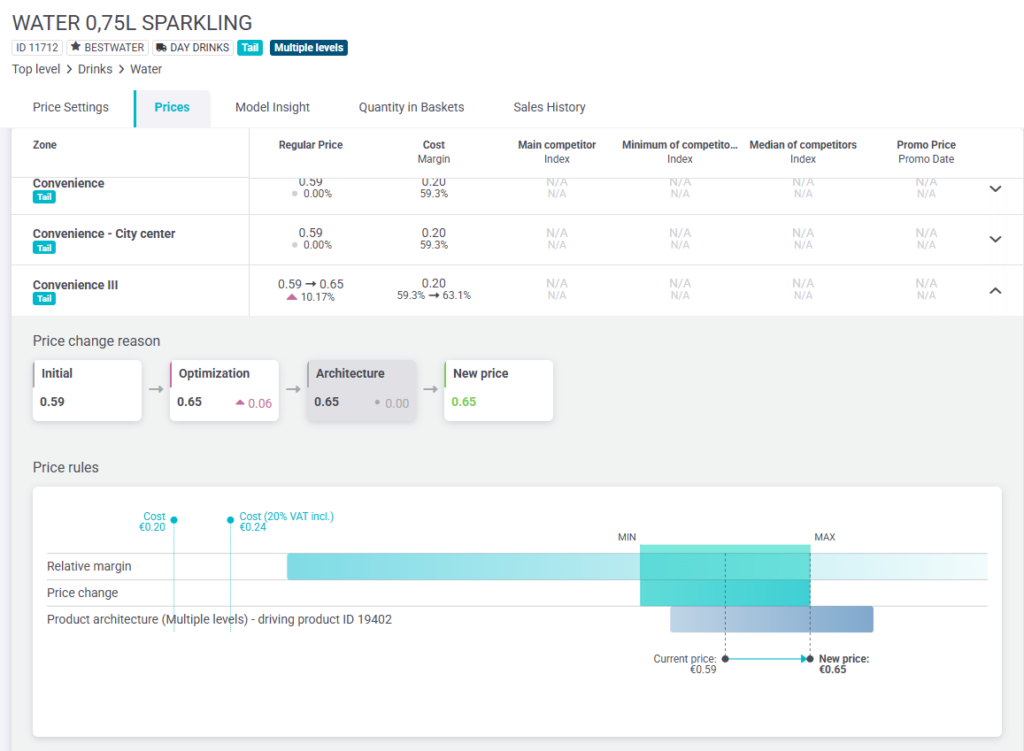
The Price rules chart has been updated to make Product Architecture constraints visible and easier to understand.
Product Architecture is now shown as a separate row in the chart and the Min–Max range details can be viewed on hover. Together with this change, the chart colors have been updated to better distinguish current ranges, Product Architecture ranges, and the resulting Min–Max range.
COMPETITOR PRICES LIMITED TO LAST 12 MONTHS
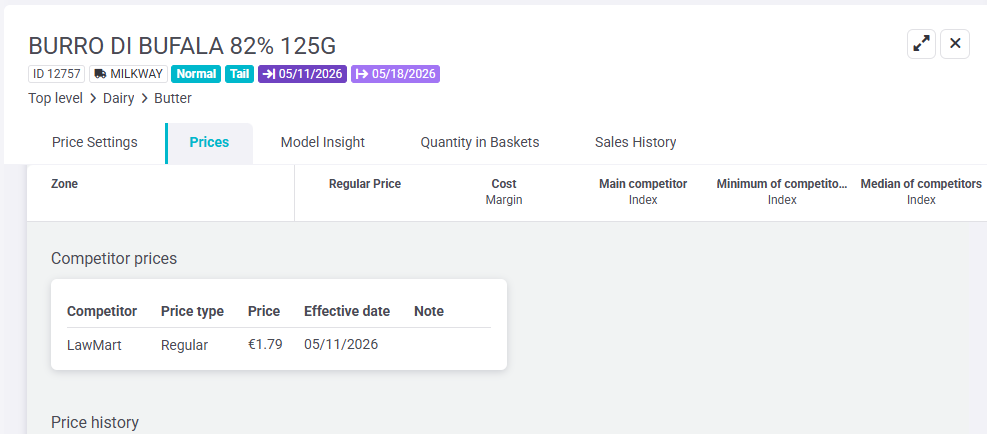
In the zone detail view, competitor prices older than one year are no longer shown, so the list focuses on the most recent and relevant competitor data.
NEW IMPACT COLUMNS IN PROMO PLANNER
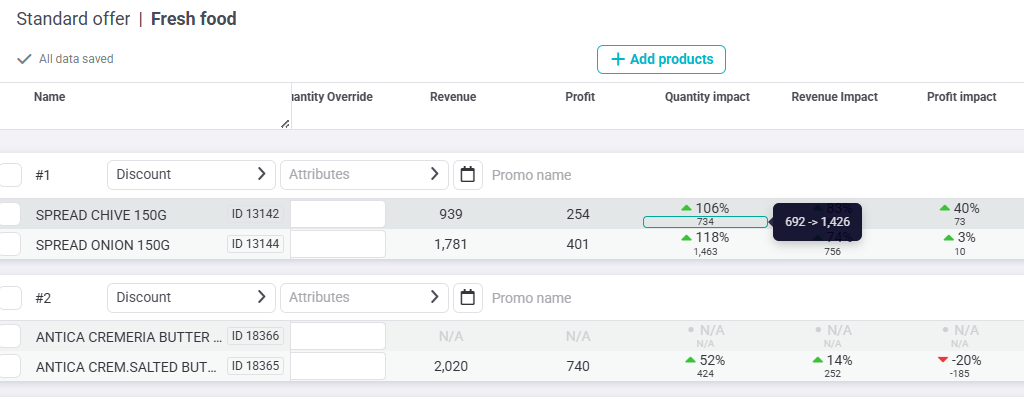
Three new impact columns have been added to Export Impact to make it easier to understand the difference between Regular and Promo performance:
Quantity Impact, Revenue Impact, and Profit Impact now show:
- A top value with the % change (with a green/red indicator).
- A bottom value with the absolute change.
- A tooltip showing the underlying values from Regular → Promo (e.g., 130k → 154k).
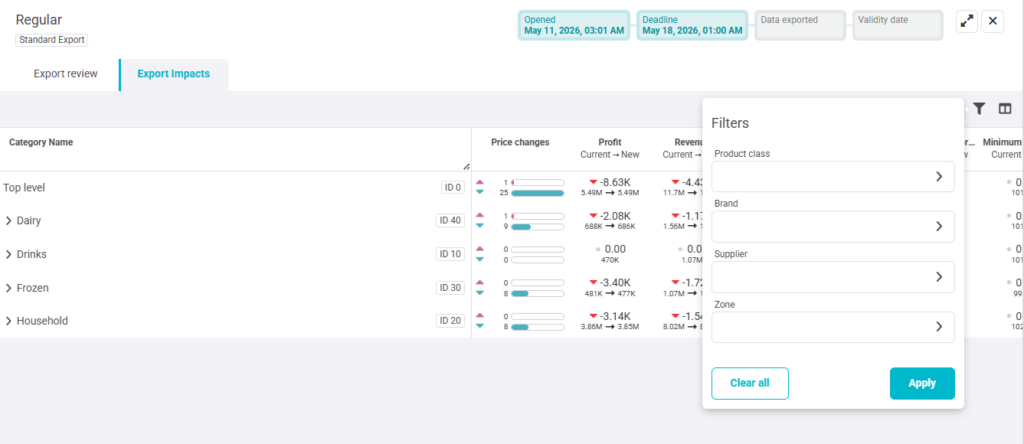
NEW FILTERS IN EXPORT IMPACT
To support deeper analysis in Export Impact, additional filters have been added.
The user can now filter Export Impact by:
- Brand
- Supplier
- Class
These filters support multi-select.
FIXES & UPGRADES
UX: The Promo Planner timeline has been updated with a refreshed layout and standardized color indicators to align with the color logic used in Exports.
Fix In the Promo Planner calendar, the “+X more plans” indicator is now clearly visible when multiple promo plans are shown.
Usability: A new Show inactive products toggle has been added to the Price Architecture tab, allowing inactive products to be hidden by default and shown only when needed.