Version 5.26 is introducing following new functionality and interface improvements.
FINALIZATION IN MANUAL EXPORT
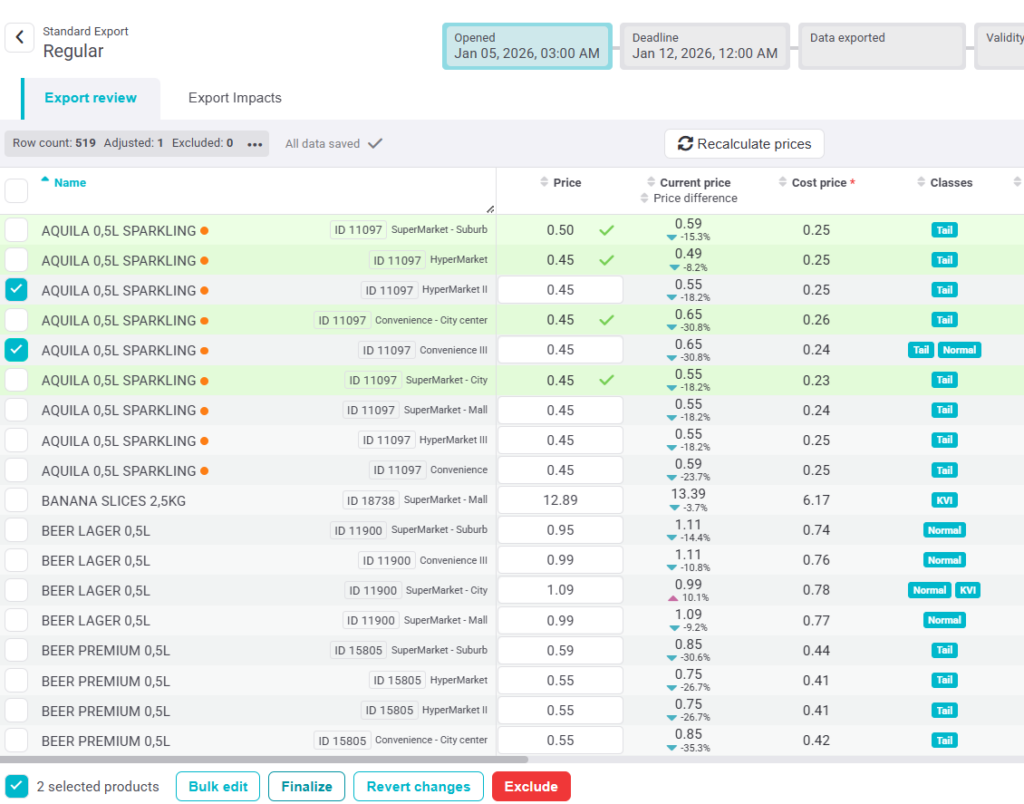
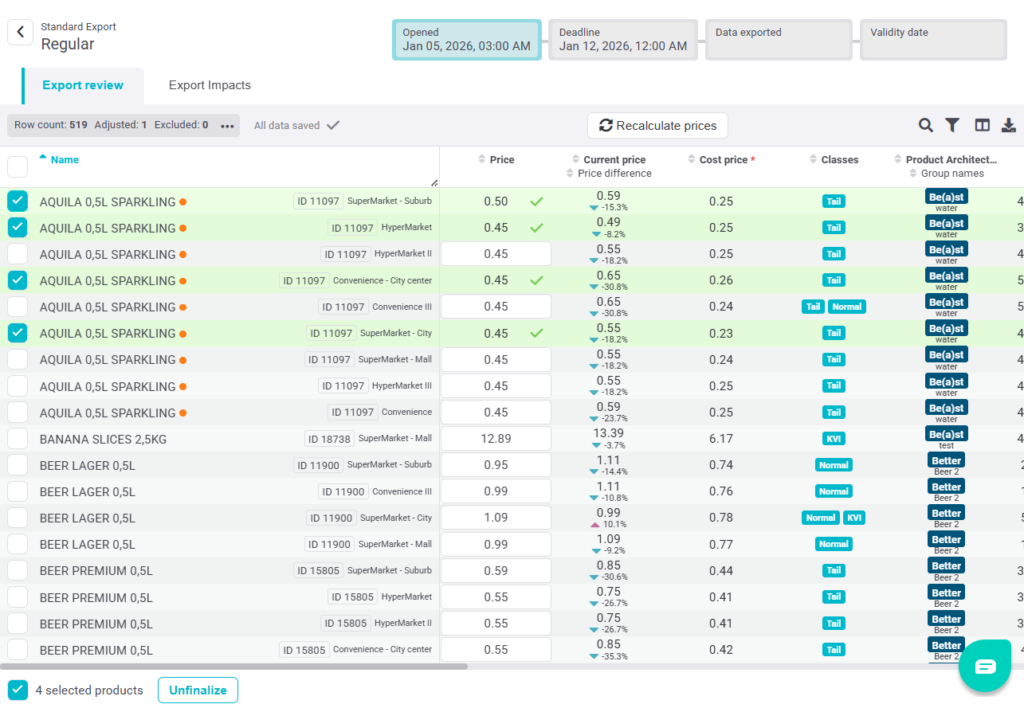
In Manual Export, you can now Finalize selected rows once you are satisfied with the current setup and values. Finalized rows are highlighted in green and marked with a check icon.
Finalized rows are locked and protected from exclusion, edits, and bulk actions, and are not affected by recalculation.
To make changes, rows must first be Unfinalized, which restores them to their previous state. This feature is available for Manual Export only.
PROMO SUGGESTIONS
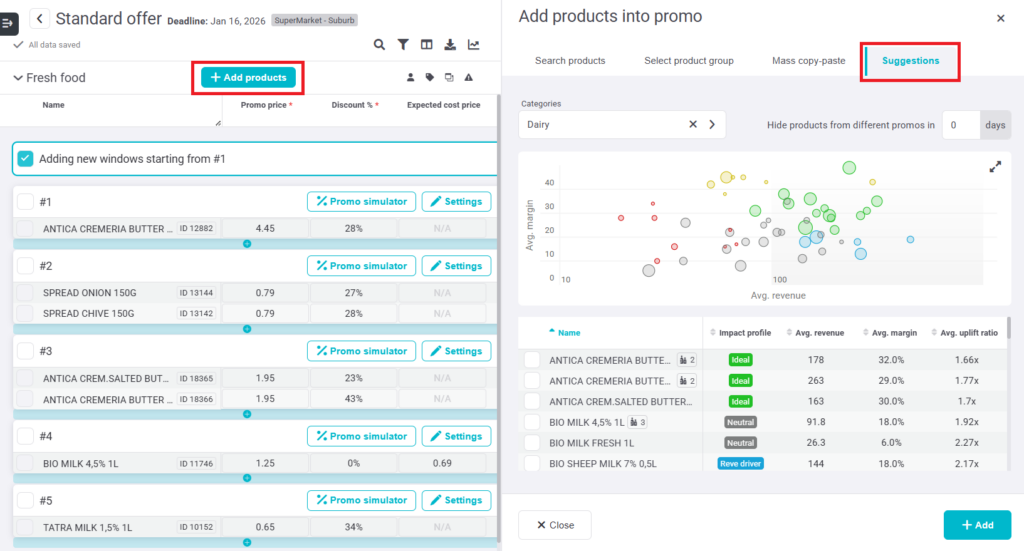
A new Suggestions tab is available in the Add Product side panel to help you choose products that are likely to perform well in a promotion.
Products are recommended based on their historical promotional performance and visualized in a scatter plot showing revenue, margin, and expected uplift. You can filter suggestions by category and exclude products already planned in nearby promotions.
Selecting a product in the chart highlights it in the list below, where you can review key metrics and add the product to your plan with confidence.
CANCELED EXPORT IN A NEW TAB
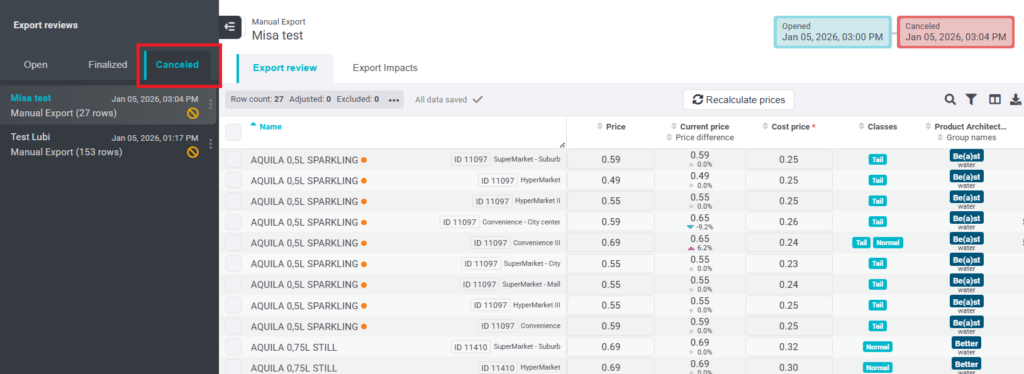
For better clarity, canceled exports are now shown in a dedicated ‘Canceled tab’. When an export is canceled, it is immediately moved to this tab, where up to 100 past exports are stored for easy access to history.
FIXES & UPGRADES
UX: Decimal values in the Volume column were removed in Export.
Fix: “Add all related products” used with mass copy-paste now works as expected.
Usability: Visual update of Total Promo sections.