Version 5.35 is introducing following new functionality and interface improvements.
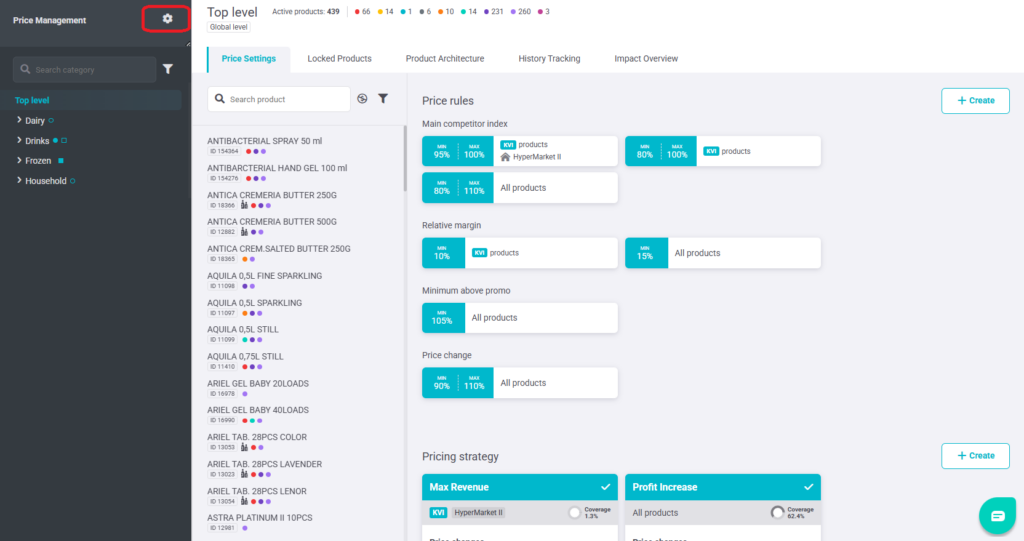
INTRODUCING SETTING PER MODULE
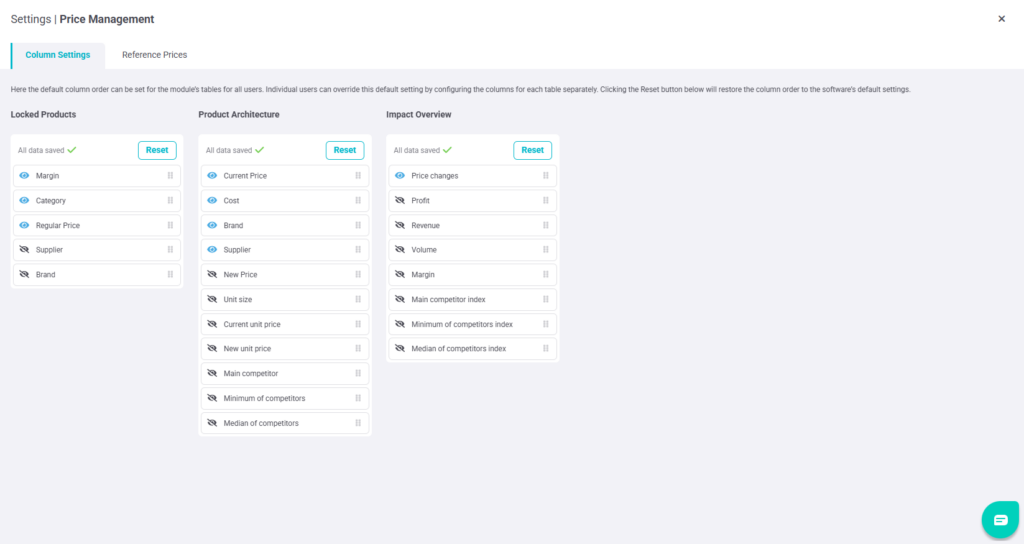
Module settings have been updated to support client-level default column views. If other module-specific settings are available (for example reference prices or custom columns), they are now available in the same dedicated module settings area.
With the new behavior:
- Admins and Pricing Managers can define a default column setup per module, which becomes the default view for all users.
- Users can still adjust their own columns, and Reset now returns the view to the client default (or to the standard application default if no client default is set).
PRODUCT DETAIL REORGANIZED INTO TABS
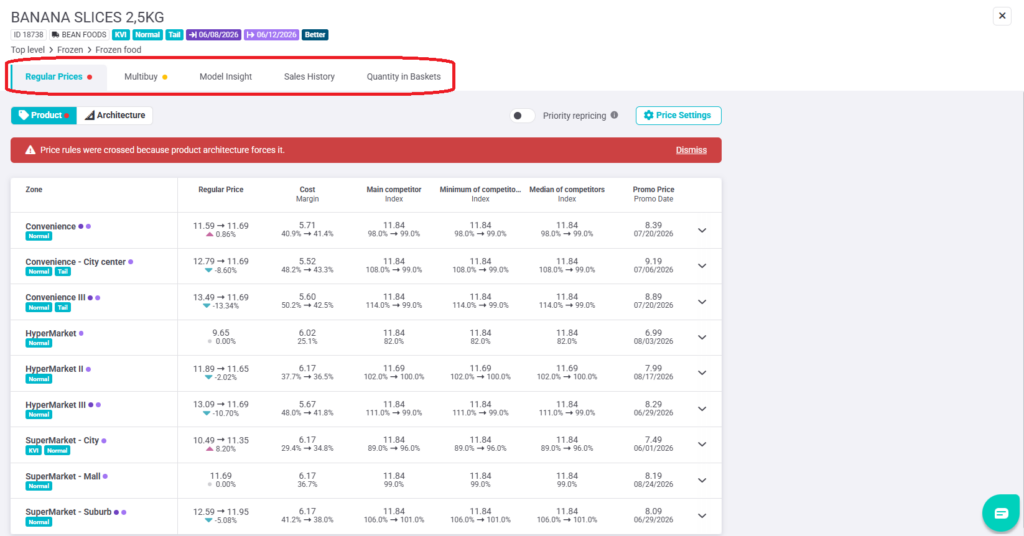
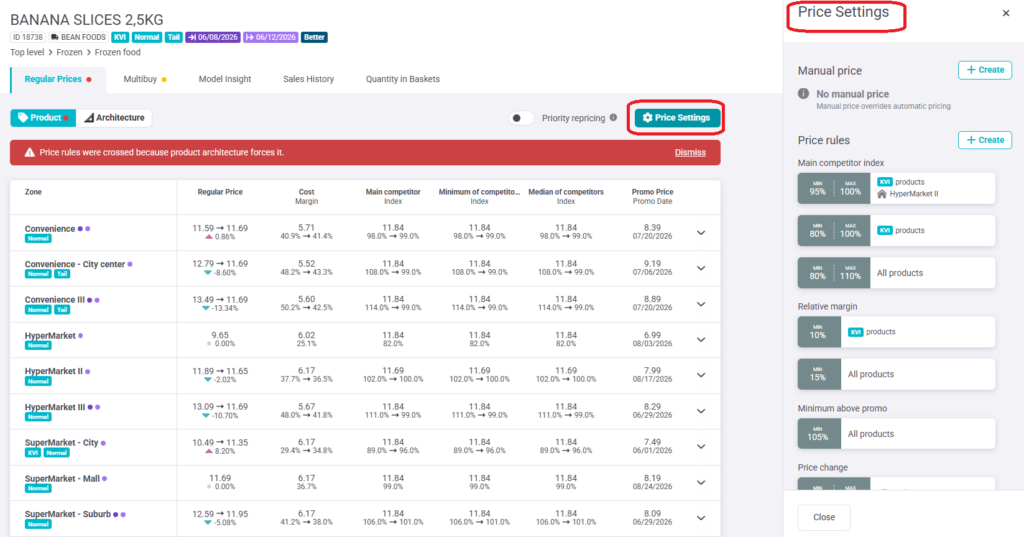
The Product Detail view has been reorganized to make navigation clearer as more functionality is added. Product Detail is now structured into tabs, so related information is grouped together and easier to find.
Tabs are shown only for modules that are enabled for the client (and only when relevant for the selected product), reducing clutter and keeping the view focused. The core Product Detail experience remains the same, but it is now easier to switch between areas such as Regular Prices, Multibuy, and Markdown, while the existing tabs like Model Insights, Sales History, and Quantity in Basket stay available at the end.
MORE CONTROL WHEN ADDING PRODUCTS TO MANUAL EXPORT
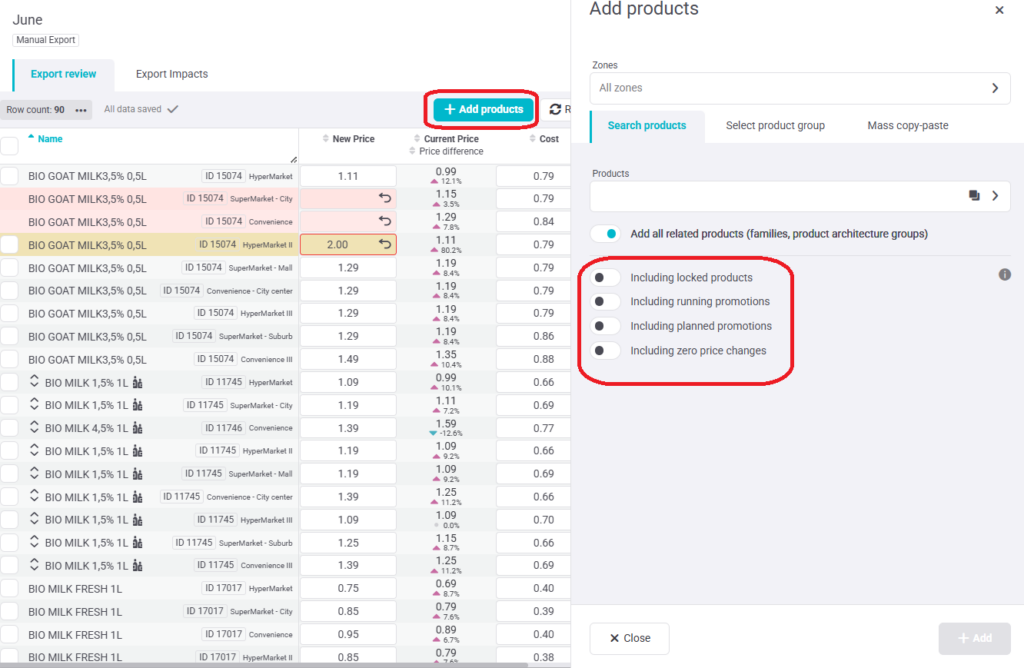
The user can now define additional conditions directly in the Add products side panel, making it easier to decide which products should be included in the export selection.
With the new behavior:
- New toggle options allow specific product groups to be included or excluded based on their current status.
- If multiple conditions apply to one product, all relevant conditions must be allowed for the product to be added (for example, both locked products and zero-change products must be allowed if both apply).
The settings apply only at the moment when products are added. Products are not removed from the export later if their status changes.
This option is not available for Mass Copy.
FIXES & UPGRADES
UX: Color alignment in the promo table and several buttons.
Fix: Phone number field now accepts new inputs.
Usability: Architecture name has been added to the price report, and architecture name and unit size have been added to export.